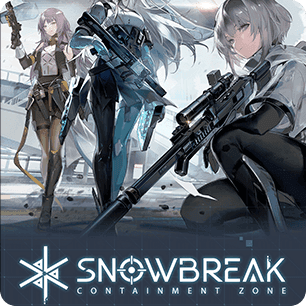

Snowbreak Containment Zone Global
Activation
Can be activated in United States
Product Region
Global
Platform
Snowbreak
 Global
Product Summary
Please select a product
USD $0.89
USD $0.89
USD $0.89
USD $4.49
USD $4.49
USD $4.49
USD $13.49
USD $13.49
USD $13.49
USD $26.99
USD $26.99
USD $26.99
USD $44.99
USD $44.99
USD $44.99
USD $89.99
USD $89.99
USD $89.99
Product Description
A new season goes live, your squad is already queued for the next run, and the only thing missing is a balance large enough for the pull you have been saving toward. A Snowbreak Containment Zone top-up removes that bottleneck without a detour through a store page you have never heard of. The credit lands on the account, and you are back in the fight with currency for the banner that closes in a few days.
Players who decide to buy Snowbreak Containment Zone Gift Card credit here usually do it for one reason: the code arrives before the banner rotates. Amounts are fixed at checkout, the order is confirmed by email, and the code goes to the address attached to that order. If you have ever waited two days for a top-up while a limited event ticked down, this is the shorter route.
Snowbreak: Containment Zone is the third-person shooter RPG from Amazing Seasun Games, where you play as an Adjutant leading a squad of operatives through contained zones. The paid currency sits at the centre of almost everything worthwhile in that game: character and weapon pulls, season passes, outfits, and the supply bundles that appear in the shop with each patch. A code adds that balance to your existing account on the PC, iOS, or Android client, and the official site and the in-game store both recognise it once redeemed. Your save data, roster, and progress stay exactly as they were.
The uses are fairly specific. One player buys credit each time a limited banner lands, because pulling without a stocked balance means missing the window entirely. Another sends a code to a friend who has just finished the main story and wants a season pass but has no card attached to their account. A third keeps a small top-up ready for the week a new outfit set appears, rather than leaving a payment method sitting inside the game. All three are buying the same thing: access and time, without the friction.
Orders are handled with instant digital delivery, which in practice means the code is generated and sent as soon as the payment is authorised rather than at the end of the working day. The amount you see on the category page is the amount charged, with no hidden fees appearing at the final step. If your online order needs a manual check, the team flags it quickly instead of leaving you guessing for hours.
Codes sold through this store are sourced from authorised distribution partners for the region they are listed under, and each one is checked against the issuing system before it is sent. The ordering process is simple and documented: payment is verified, the code is pulled from stock, and the delivery email is triggered automatically. If a code does not activate, buyer support reviews the order with the transaction reference and either replaces the code or refunds it, usually within one business day.
Season launches are when this category moves fastest, and the popular amounts run out before the quieter ones. Order your code now and have it sitting in your inbox before the next banner opens.
Benefits
- Works with the Snowbreak: Containment Zone client on PC, iOS, and Android, so the credit follows the account rather than a single device.
- Makes a practical gift for a squadmate who is saving toward a limited banner or a season pass.
- Lets you control spending by buying a fixed amount instead of leaving a card on file inside the game.
- Useful for players without a credit card or without access to international payment methods.
- Covers the whole in-game shop, from premium currency pulls to outfits and supply bundles.
- Redemption takes a few seconds once you are signed in on the correct account.
- Codes carry no expiry date, so you can hold one until the right banner appears.
- Available for accounts on supported server regions, with the exact amount confirmed at checkout.
Why Choose Fleximart
Buying a game code should take less time than the tutorial. Fleximart keeps the process short: pick the amount, pay through a secure page, and receive a working code without chasing anyone for confirmation. Pricing is shown up front, the support team answers real questions, and the rest of the platform is built around the same idea.
Code Delivery Without a Waiting Room
The delivery side is automated end to end: once payment clears, the code is generated and emailed by the same system that confirms the order. That is where the instant delivery promise actually comes from, and it is why most buyers have their code before they finish closing the tab.
Payments Handled on an Encrypted Page
Card details are entered on a secured payment page and passed straight to the payment processor, so nothing sensitive is stored on the store's own servers. You get a confirmation the moment the transaction is authorised, and a declined attempt never leaves a pending charge hanging on your statement.
What the Price Tag Includes
The figure on the category page is the full amount taken from your card. There is no service charge, no processing surcharge, and no small addition that appears at the last step of checkout after you have already committed to the order.
Digital Orders Skip the Queue
Nothing here has to be packed, posted, or collected. Orders for digital products are processed automatically around the clock, including weekends and public holidays, which is the main reason turnaround stays short even during a busy season launch.
How Pricing Is Kept Competitive
Holding the best price on a category like this comes down to buying in volume, watching supplier rates, and passing the difference on rather than absorbing it. Rates are reviewed regularly so the listed amount stays in line with the market instead of drifting upward quietly.
Checkout in Three Short Steps
Add the amount to the cart, confirm your email, and pay. There is no account creation wall, no survey, and no upsell screen between you and the code, and the whole sequence takes less time than reading this paragraph.
Codes Checked Before They Reach You
Every code is validated against the issuing system before delivery, so a mistyped key or a duplicate is caught on this side of the transaction. That check is why redemption failures are rare, and why the ones that do happen usually trace back to a regional mismatch.
Support That Follows the Order Through
If a code fails or an order stalls, support works from your order reference instead of asking you to explain the whole purchase again. Replacements and refunds are handled after verification, and you get a real answer about what happened rather than a template response.
Where the Codes Come From
Stock is bought from authorised distributors for the region it is listed under, not from resale markets where the origin is unclear. That chain is why the codes activate cleanly and why the store can stand behind them if a platform ever flags one.
Terms And Conditions
- Codes are issued for the server region shown on the listing. Redeeming on an account from a different region will usually fail, and the credit cannot be transferred afterwards.
- This is a digital product. No physical card is printed or shipped; the code is delivered by email once payment clears.
- Because the code is revealed at delivery, orders cannot be refunded after the code has been sent. Refunds are considered only where a code is invalid or was never delivered.
- Credit cannot be exchanged for cash, transferred between accounts, or withdrawn.
- You need an active Snowbreak: Containment Zone account and a compatible PC, iOS, or Android client to redeem.
- Enter the code exactly as shown. The store cannot compensate for failed redemptions caused by incorrect entry and can only assist using the order record.
- Codes sold here carry no expiry date, so they can be redeemed whenever you choose.
This summary is for informational purposes only and does not constitute legal advice. Buyers should refer to the official Snowbreak: Containment Zone terms of service for full terms.
How to Redeem
Redemption is easy to use once you know where the entry field sits, and the whole process takes under a minute from a signed-in device.
- Complete your order and open the delivery email. The code appears in the message body, sometimes behind a view code button.
- Copy the code exactly, including any hyphens, and keep the email open in case you need to paste it again.
- Sign in to the Snowbreak account you want credited, on PC, iOS, or Android.
- Open the official site at https://snowbreak.amazingseasun.com/ and go to the redemption or top-up section, or use the redemption option inside the game client.
- Paste the code into the field and confirm. The balance should update on the account screen within a few moments.
- If nothing changes, restart the client and check again before contacting support.
- Confirm that your account region matches the listing, because credit issued for one server region will not apply to an account on another.
Frequently Asked Questions about Snowbreak Containment Zone
These are the questions buyers ask most often before ordering credit for Snowbreak: Containment Zone.
Fleximart lists Snowbreak Containment Zone credit in the Others category, and the order takes a couple of minutes. Choose the amount, pay at checkout, and the code appears in your inbox shortly after payment clears. There is no store visit and no queue to stand in.
Yes. Every code sold here is sourced from authorised distribution partners and checked before it reaches your inbox, so it activates on the first attempt in most cases. Payments run through encrypted checkout, and if a code fails, support reviews the order and replaces or refunds it.
Yes, you can purchase Snowbreak Containment Zone credit using a credit or debit card. Add the amount to your cart, confirm the order, and complete the card details on the encrypted payment page. The code is issued once payment is authorised, usually within a minute or two.
No. Codes issued here do not carry an expiry date, so you can hold one and redeem it when a banner or season suits you.
Not always. Credit is normally tied to the server region of the account it is redeemed on, so check the listing before ordering.
Most orders deliver within a few minutes of payment clearing. Delays only happen when a payment needs manual review.
Yes, but the code is redeemed on an account rather than transferred as a balance. Buy it, send the code to the recipient, and let them enter it on their own Snowbreak account. Confirm their server region first so the credit lands where it is useful.
Contact support with your order number and a screenshot of the error. Codes are checked before delivery, so a failed redemption usually means a typo, a regional mismatch, or a client that needs a restart. Support reviews the order and issues a replacement or refund after verification.
Yes. Redeem one code, let the balance settle, then redeem the next on the same account. Splitting a purchase across several smaller codes works fine, which is handy if you buy credit in stages rather than all at once.
Yes, as long as the account is active and the server region matches the listing. Sign in first, confirm the correct profile is selected, then redeem. There is no need to create a new account to use the credit.
The credit covers the premium currency used for character and weapon pulls, plus season passes, outfits, and supply bundles sold in the in-game shop. Anything priced in the paid currency can be covered, so you can spend it across the whole storefront.
Discounts exist for larger orders. Buyers looking for cheap Snowbreak credit in bigger amounts can message support before ordering and ask about bulk pricing, and the team will confirm what is available for the quantity you need.
Re-enter the code character by character, checking for letters and numbers that look similar, such as O and zero. If it has already been submitted and rejected, wait a few minutes before retrying. Persistent errors should go to support with a screenshot.
Yes. The code is redeemed inside the game client or on the official account page, so either the game or a browser session on the official site is required. Create your character first if the account is brand new.
Amounts follow the options listed on the category page, and you can order more than one code if you need a larger balance. Very large orders may need a short confirmation before they are processed.
No. Once the code has been revealed, the order cannot be reversed because the code is already usable. Refunds apply only to undelivered or invalid codes, which support will verify before approving.
