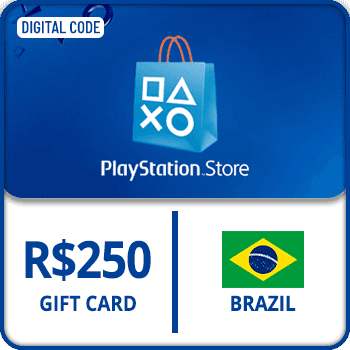

PlayStation Network Card (PSN) Brazil R$250
Activation
Can't be activated in United States
Product Region
Brazil
Platform
PlayStation Store
 Brazil
Product Summary
Amount x1
$40.55
10 BRL
50 BRL
60 BRL
70 BRL
100 BRL
150 BRL
250 BRL
300 BRL
450 BRL
450 BRL
Product Description
A friend messages you from São Paulo an hour before a PlayStation Store sale ends, asking for a quick wallet top-up. That is exactly what a PlayStation Network Card (PSN) Brazil R$250 handles, because the code arrives by email instead of through a shop queue. The card adds R$250 of prepaid credit to a Brazilian PlayStation Network account, and the balance can be spent on games, add-ons or a PlayStation Plus plan without a bank card being touched.
Most shoppers arrive through one search phrase. The listing here is Buy PlayStation Network Card (PSN) Brazil R$250 Gift Card, delivered as a digital code rather than plastic. Anyone who prefers to order online through this store gets the same R$250 value in a few clicks, with no trip to a reseller and no waiting on a courier. Denominations are fixed, so a single card covers one clear amount and there is nothing to configure at checkout.
Behind the code sits Sony's PlayStation ecosystem: the PlayStation Network account, the PlayStation Store, PlayStation Plus and both PS4 and PS5 consoles read the same wallet. R$250 means 250 Brazilian reais of store credit, a currency balance rather than a voucher tied to one game, so the money waits until something worth spending on shows up. It behaves like any other store credit once redeemed, and it stacks with prepaid codes already sitting in the wallet.
Real use looks practical. A household sharing one console can fund the wallet so each person buys their own add-on instead of charging a shared card. A parent abroad can email the code to a student in Brazil who wants a season pass or a month of PlayStation Plus Essential. A player who refuses to store card details on a shared console keeps the wallet topped up with prepaid credit. None of those cases needs a local bank account, which is the main reason prepaid PSN gift codes travel well between countries.
Ordering runs on instant digital delivery: payment clears, the code is generated, and an email arrives with the characters and a redemption link. Checkout shows the full amount before you confirm, and there are no hidden fees added afterwards, so the total on the invoice is the total you pay. Nothing is harder than pasting a code into the redeem field, and the order page keeps it available if the confirmation email gets buried.
Codes are sourced through authorised Brazilian distributors and checked against Sony's issuance records before they are sent, so a used or invalid code does not reach an inbox. Orders flagged by verification are reviewed by hand, usually within the hour. If a code is rejected at redemption, the support team re-checks the order and responds with a replacement or a refund review within one business day.
Availability on the R$250 tier changes quickly around Store sale periods, so stock is refreshed rather than promised forever. Add the card to your cart now and the code will be on its way within minutes.
Benefits
- Works with Brazilian PlayStation Network accounts on PS4, PS5, the PlayStation Store website and the PlayStation App.
- Adds a fixed R$250 balance that can be spent across games, add-ons, season passes and PlayStation Plus plans.
- Makes a practical gift for friends or family in Brazil, since the code can be forwarded by email within seconds.
- Removes the need to attach a credit or debit card to a console, which suits shared living rooms.
- Opens the full Brazilian PlayStation Store catalogue, including regional pricing in reais.
- Redemption takes about a minute through the redeem page or the console's own code entry screen.
- Credit held in the wallet does not expire once it has been redeemed.
- Stacks with other prepaid cards, so several codes can build a larger balance before a big release.
- Priced in USD for international buyers, with the amount confirmed before payment.
- Delivered by email, so there is no shipping fee, customs step or physical card to lose.
Why Choose Fleximart
Digital codes are small purchases with a lot resting on them, and most complaints elsewhere trace back to slow emails or unclear pricing. This store keeps the sequence short: choose a denomination, pay through a verified gateway, receive a working code. The points below explain what that looks like in practice, from payment handling to what happens when a code fails.
Code Delivery That Starts in Seconds
Instant delivery is the default here rather than a paid upgrade, because the code is generated the moment the payment clears and emailed to the address on the order. If an inbox filter hides it, the order page still holds the same code, so nothing depends on one message arriving.
Payment Handling You Can Trace
Card and wallet payments pass through an encrypted gateway, and the confirmation screen shows a reference number you can match against your statement. Nothing is stored beyond what the gateway needs, which keeps the checkout short and the exposure low.
Pricing Without Surprise Additions
The figure on the product page is the figure charged at the final step, with no service charge appearing after you have committed. Currency conversion, where a payment provider applies one, is displayed before you approve rather than buried in a later line.
Fast Processing Built for Digital Goods
There is no warehouse step, no packing and no courier window, so the gap between payment and delivery is measured in minutes. Automated checks handle ordinary orders, which is why most buyers never see a status other than completed.
How the Best Price Is Kept
Codes are bought in volume directly from distributors and that margin is passed on, which is why best price claims here can survive a side-by-side comparison. The R$250 tier is priced plainly, with the same rate for one card or several.
A Checkout That Fits on One Screen
Buyer details, payment and confirmation sit in a single flow, with no account creation required before paying. Most orders finish in under two minutes from adding the card to reading the code.
Codes Checked Before They Are Sent
Each code is validated against the distributor's issuance record before it leaves the system, so the buyer is not the first person to discover a fault. A code that fails the check is pulled and replaced internally instead of being emailed.
Support That Owns the Problem
When a code is rejected, support asks for the order number and the exact error message, then traces it with the supplier instead of sending a generic reply. Replacements or refund reviews are decided within one business day.
Sourcing You Can Ask About
Brazilian codes come from authorised distributors working inside Sony's regional supply chain, not from scraped or resold listings. Buyers who want the detail can ask support which distributor supplied a specific batch.
Terms And Conditions
- Region restriction: codes redeem only on PlayStation Network accounts registered in Brazil, and other regions will reject them.
- Digital delivery only: no physical card is shipped, and the code is sent by email to the address supplied on the order.
- Refund policy: digital goods are non-refundable once the code has been delivered or revealed, except where a code fails and cannot be replaced.
- No cash-out: the card cannot be exchanged for cash, resold, or moved from one wallet to another.
- Compatibility: a Brazilian PlayStation Network account, a working internet connection and acceptance of Sony's user agreement are required.
- Buyer responsibility: entering the code correctly is the buyer's responsibility, and codes mistyped at redemption are not replaced automatically.
- Expiry: no expiry applies to redeemed wallet credit, and unused codes under this listing carry no published expiry date.
- Wallet balances, account status and store pricing are controlled by Sony and can change without notice from this store.
This summary is for informational purposes only and does not constitute legal advice. Buyers should refer to the official Sony PlayStation terms of service for full terms.
How to Redeem
The redemption process is easy to use whether you are on a console or in a browser, and it takes about a minute.
- Sign in to the Brazilian PlayStation Network account you want to top up.
- Open the official redeem page at https://store.playstation.com/redeem, or on a PS4 or PS5 go to PlayStation Store and choose Redeem Codes.
- Type the code from your order email exactly as shown, without spaces or dashes.
- Confirm the R$250 value and finish the steps, and the credit appears in your wallet balance.
- Check that the account region matches Brazil before you start, because a code cannot be moved to another region's account afterwards.
- Keep the order email until the balance shows correctly, so support can trace the purchase if anything looks wrong.
Frequently Asked Questions about PlayStation Network Card (PSN) Brazil R$250
Short answers to the questions buyers ask most about this R$250 Brazilian PlayStation Network card.
Right here on Fleximart: choose the R$250 denomination, pay, and the code arrives by email. No physical store visit is needed and nothing ships, so orders placed from any country can be paid in USD and delivered digitally.
Every code on this platform is bought from authorised Brazilian distributors and checked before it is emailed, so orders placed here do not depend on resold screenshots. Payments run through encrypted gateways, and a code that fails at redemption is reviewed for replacement.
Yes, you can purchase PlayStation Network Card (PSN) Brazil R$250 using PayPal. Choose the card, continue to checkout, select PayPal and approve the payment in the PayPal window. The code is then issued to the email on the order, usually within minutes of confirmation.
No. Once redeemed, the credit stays in the PlayStation Network wallet with no expiry date, and unused codes carry no published expiry under this listing.
No. The code is locked to Brazilian PlayStation Network accounts, so a US, UK or EU account will reject it at redemption.
Most codes are emailed within minutes of payment confirmation. Occasional manual verification can push delivery to a few hours.
Yes. Enter the recipient's email at checkout or forward the code yourself once it arrives. The person redeeming it needs a Brazilian PlayStation Network account, so confirm their region first, then let them pick their own games.
Contact support with the order number and a screenshot of the error. The team checks the code against the distributor's issuance record, then issues a replacement or reviews a refund if the code was already redeemed elsewhere.
Yes. Wallet credit stacks, so redeeming two R$250 cards leaves R$500 in the balance. Redeem them one at a time on the same account and the amounts combine automatically, which makes it practical to build a larger balance before a major release.
Yes, provided the account region is set to Brazil. Redeem the code while signed in to that account on the PlayStation Store website or the console, and the credit appears in the wallet balance right away.
Anything sold on the Brazilian PlayStation Store: full games, add-ons, season passes, in-game currency and PlayStation Plus memberships. The wallet balance is spent in Brazilian reais, so prices shown in the store apply as listed.
A discount is available on larger orders, so buyers who need several cards can contact support for a quote before paying. Anyone hunting for cheap credit in volume should ask about combined orders rather than checking out one card at a time.
Nothing is lost at first. A mistyped code simply returns an invalid error, so re-enter it carefully, avoiding spaces and confusing characters such as O and 0. If it still fails, contact support with the order number.
No. Redemption only needs a Brazilian PlayStation Network account, because the card itself supplies the funds. That is why prepaid codes suit players who prefer not to store payment details on a shared console.
Reviews
Overall item rating
0 reviews
0 out of 0 (100%) reviewers recommend this item
Rating
Select a row to filter reviews
Click on a rating bar to filter reviews by that rating