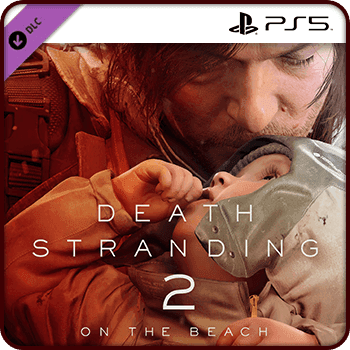

Death Stranding 2 Global
Activation
Can be activated in United States
Product Region
Global
Platform
PlayStation
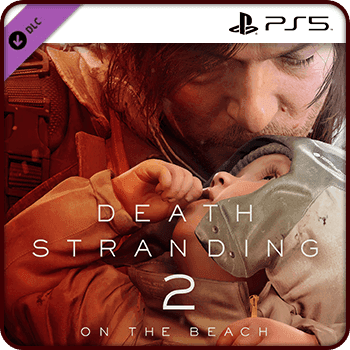 Death Stranding 2
Product Summary
Please select a product
USD $69.29
USD $69.29
Product Description
Your console is set up, the controller is charged, and the only thing missing is the game everyone has been talking about. Death Stranding 2 picks up Sam Porter Bridges' story in a world fractured twice over, and a Death Stranding 2 PS5 game key is the quickest route to playing it on release day. Whether you finished the first game twice or are stepping in for the first time, the whole process here takes minutes rather than days. The code redeems on PlayStation 5 and is issued for the store region tied to the PlayStation Network account that will use it.
For anyone who would rather buy Death Stranding 2 Gift Card than queue at a counter, this page explains what the key includes, how redemption works, and what to check before you pay. Nothing is printed and nothing is shipped, so there is no parcel to track and no delivery window to plan around.
Death Stranding 2 is a PlayStation 5 title developed by Kojima Productions, the studio behind the original Death Stranding, and published by Sony Interactive Entertainment. The key is a digital code that redeems on the PlayStation Store, the same storefront that manages PlayStation Plus, cloud saves and every other PS5 title in your library. Once redeemed, the game binds to your PlayStation Network account rather than to a single console, so it can be downloaded again on any PS5 where you sign in. One detail to watch: codes are tied to a store region, and the region on your account has to match the region of the key you order.
The same purchase covers a few different situations. Parents often buy the key for a teenager whose PS5 sits under a family account, and want the whole thing done in one evening without a store visit. Players with a digital-only console use it just like any other Store purchase, because a redeemed code behaves exactly like a bought download. And for anyone who would rather not attach a bank card to a console, paying at checkout with a method they already use is simpler.
Fulfilment runs on instant digital delivery: the code appears on the confirmation page and lands in the email address on the order as soon as payment clears. There are no hidden fees added at the final step, and the figure shown on the order summary is the figure charged. Automated processing carries on outside normal hours, so a purchase at two in the morning behaves the same as one at noon, and a copy of the code stays in your account for later reference.
Every key is sourced through authorised distribution channels for the PlayStation platform and checked against its store region before it is listed. Processing includes a verification step that matches the code to the product you selected and holds the order until payment is confirmed. If a code fails to redeem, support reviews the order alongside your error screenshot and either replaces the key or returns the payment, usually inside one working day. Accuracy matters more than speed at the final step, so the order summary shows both region and product name before you confirm.
Stock shifts with each restock cycle, and major PS5 releases tend to move fastest in their opening weeks. When you are ready, place the order and the code will be in your inbox before you have finished setting up the console.
- The code redeems directly on PlayStation 5 and needs no disc drive at all.
- It unlocks the full Death Stranding 2 game rather than a demo or a partial build.
- Gifting works because the key can be forwarded to a friend or family member.
- You can pay with a method you already use instead of adding a card to the console.
- Once redeemed, the game stays in your PlayStation library permanently.
- Redemption takes a few button presses on the Store redeem screen.
- The code carries no expiry date, so it can be redeemed whenever the console is ready.
- Buying here avoids shipping charges because nothing physical is dispatched.
Most people comparing game key stores want the same three things: a code that works, a price that does not shift at the checkout, and a human on the other end if something fails. Fleximart is built around that narrow set of expectations rather than around marketing copy, which is why the same customers tend to come back for each new PS5 release.
Instant delivery, explained plainly
The code is generated and released automatically the moment payment is confirmed, which is what makes instant delivery realistic here instead of a slogan. You see the key on screen and in your inbox at the same time, so nothing sits in a manual review queue.
Payments handled on a protected checkout
Card details are entered on an encrypted payment page and never pass through the store's own servers, which keeps sensitive data with the payment provider. Transactions are screened before fulfilment, so a suspicious order is stopped rather than delivered.
Pricing that holds at the final step
The amount on the product page is the amount charged, with processing already folded into the figure you see. Nothing appears as a surprise line on the last screen, which is a common complaint about key resellers.
Processing built for digital orders
Digital products need no picking, packing or courier handoff, so the gap between payment and delivery is measured in seconds rather than days. Orders are handled around the clock instead of during shop hours only.
Competitive pricing without the gimmicks
Prices are reviewed against other PlayStation key sellers and adjusted so the store stays near the front of the market rather than slashing prices loudly for a week and rebounding. Where a best price is possible on a new release, it shows on the product page instead of hiding behind a code.
A checkout that stays short
You pick the product, confirm the region, pay, and the order is done, with no account creation loop and no survey step. The whole order is online and usually takes about a minute from cart to confirmation.
Codes checked before they are listed
Keys come from authorised distributors for the PlayStation platform and are validated against their store region before going live. A code that does not match its advertised region never reaches a buyer.
Support that answers when a code misbehaves
Send the error message and the order number and support traces the code instead of sending a generic reply. Replacements and refunds are handled directly, without bouncing you between departments.
Terms And Conditions
- The code is region-locked and only redeems on a PlayStation Network account registered in the same PlayStation Store region as the key.
- This is a digital product only. No physical card, disc or box is shipped to you.
- Because the code is revealed at delivery, refunds cannot be issued once it has been displayed or redeemed. Faulty codes are replaced or refunded after review.
- Codes cannot be exchanged for cash, store credit or a different product.
- The key is issued for the PlayStation 5 platform and will not redeem on a PC, Xbox or Nintendo account.
- Buyers are responsible for entering the code correctly and for confirming the store region before purchase.
- No expiry date applies to an unredeemed code.
- Purchases are intended for personal use, and resale of the code is not supported.
This summary is for informational purposes only and does not constitute legal advice. Buyers should refer to the official PlayStation Store terms of service for full terms.
How to Redeem
How to Redeem
The redemption flow is easy to use on both the console and a browser, and it takes about two minutes from start to finish.
- Check the store region on your PlayStation Network account matches the region of the key you purchased.
- Sign in to the PlayStation Network account that will own the game, either on your PS5 or at https://store.playstation.com/redeem.
- Open the PlayStation Store and choose the option to redeem a code, found under your profile menu on console or on the redeem page in a browser.
- Type the code exactly as it appears on your order confirmation, including any hyphens shown.
- Confirm that the product name on screen reads Death Stranding 2 before you accept.
- Select confirm and wait for the on-screen confirmation message.
- Open your game library and start the download, keeping the console connected until it finishes.
- Keep the order confirmation email, because support may ask for it if anything goes wrong later.
Frequently Asked Questions about Death Stranding 2
Common questions about buying and redeeming Death Stranding 2.
You can buy Death Stranding 2 online here in a few steps. Choose your amount, complete secure checkout, and your gift card is delivered digitally with no physical store visit needed.
Yes. Every gift card on this platform is sourced from verified suppliers and checked before delivery. Payments are processed securely, and support reviews any order if a problem comes up.
Yes, you can purchase Death Stranding 2 using a payment card. Add the gift card to your cart, choose a payment card at checkout, and your order is sent once the payment is confirmed.
Check the product details at purchase. Most digital gift cards are delivered for immediate use, but any expiry or account-region rule is shown before checkout.
This gift card is intended for accounts registered in . Using it outside may not work, so confirm your account region first.
Delivery is digital and usually quick. Your gift card details are sent to you shortly after your payment is confirmed.
Yes. If the product supports gifting, you can send the delivered details to someone else and let them use it on a compatible the provider account.
If your code or top-up details do not work, contact support with your order details. The order is reviewed and a working replacement or fix is arranged where eligible.
In most cases you can use more than one gift card, subject to the provider limits. Apply or redeem them one at a time so each order is processed correctly.
Yes. It should work with your existing the provider account, as long as the account region and product requirements match .
You can use it for the products, credits, in-game items, subscriptions, or services supported by the provider, depending on what is available in .
Buyers looking for cheap the provider credit in larger amounts can contact support about bulk order options and available discounts.
If you entered the code incorrectly, re-check it for typos and try again. If it still fails, reach out to support with your order reference for help.
