

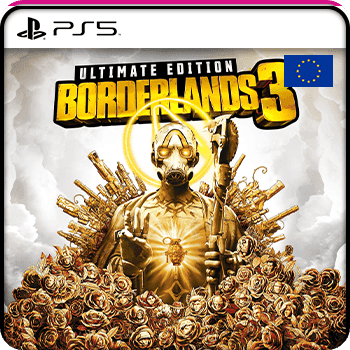

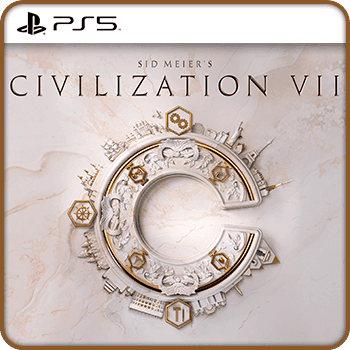
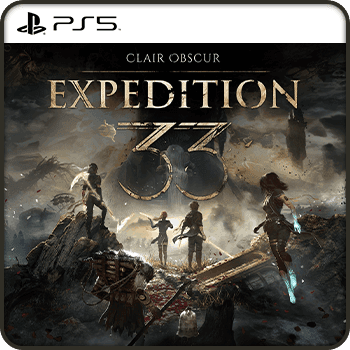
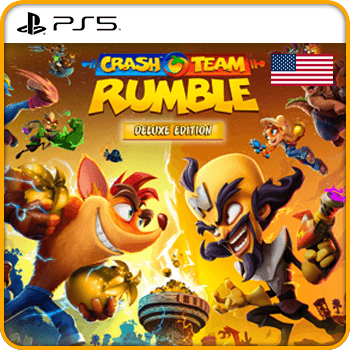












Product Description
A new release lands on a Friday, your friends are already downloading it, and the only thing between you and the download screen is a payment page that keeps declining your card. That gap is where a PS5 Game Key earns its place. A key is a digital code that unlocks the game on the PlayStation Store, so you skip shipping, disc drives, and store queues entirely. What follows explains what the key does, how delivery works, and what to check before you order.
You can buy PS5 Game Key online at any hour, including weekends and public holidays, because the whole process runs without staff involvement. Each listing states the title or bundle behind the code, so you know what unlocks before money leaves your account. Prices are shown in the currency you select, and the amount you see is the amount you pay.
A PS5 Game Key is a one-time code issued for the PlayStation Store, the digital shopfront tied to PlayStation Network. Redeem it on a PlayStation 5 console or through the web store and the content binds to that account permanently, so it stays in your library across console changes. The code works with the region it was issued for, which means the PlayStation Network account you redeem on must be registered in the same country as the key. Check that detail before checkout, because a mismatch is the single most common reason a valid code gets rejected.
Most orders fall into three patterns. Someone buys a key for a title that sold out on disc locally, redeems it the same evening, and plays through the release weekend without paying resale markups. Others use keys to gift a friend who owns a PS5 but never keeps a card on file for digital purchases. A third group picks up add-on packs and expansion codes, which rarely appear in physical form at all. In each case the buyer keeps the code in their own inbox and decides when to hand it over, which makes a key far easier to pass along than a sealed box.
Fleximart sends codes by email with instant digital delivery, so the message usually lands within a few minutes of payment clearing. There are no hidden fees added at the final step; the figure on the checkout page is the total. If the message does not appear, check the spam folder before contacting support, since filters catch automated mail more often than people expect.
Codes come from authorised distribution partners rather than scraped or resold lists, and each one is checked before it reaches your inbox. Orders are verified against the issuing records so a key cannot be sent twice to two buyers. When something goes wrong, support reviews the order with you and confirms whether the code was redeemed, rejected, or never delivered, which keeps the answer factual instead of guessed.
Popular release windows move quickly, and stock on newly launched titles tends to thin out within a few days of launch. If the title you want is listed, order your code now and receive it within seconds rather than waiting for a restock notice.
- Redeem the key on a PlayStation 5 console or through the PlayStation Store website, whichever is closer to hand.
- Gift a code to a friend by forwarding the email, with no need to arrange shipping or a delivery address.
- Spend exactly what the key is worth instead of topping up a wallet balance you may never finish.
- Pay at checkout without storing card details on your console or on the PlayStation Network account.
- Unlock full games, expansions, and add-on packs from the same PlayStation Store library you already use.
- Enter the 12-character code once and the content stays attached to your account for good.
- Codes are sent with instant delivery to the email address on your order, including weekends and public holidays.
- Keep the code in your inbox as long as you like, because PS5 Game Keys carry no expiry date.
- Buy a key that matches the country your PlayStation Network account is registered in and redeem it without region errors.
Buying a digital code is a small transaction with a lot riding on it: the payment has to clear, the key has to be genuine, and it has to arrive while you still want to play. Fleximart keeps those three things simple by handling stock, verification, and delivery in one place, with pricing that stays readable from the listing page through to the final checkout screen.
Codes arrive while you are still at your desk
Orders are processed by an automated system, not a person working office hours. Once payment is confirmed, the key is generated and emailed immediately, so a purchase at midnight moves as fast as one at noon.
Payment stays inside an encrypted checkout
Card details are handled by the payment provider and never stored on the store's own servers. The sensitive part of the transaction is processed by a system built for that job, not by a plugin bolted onto a shop.
The listed price is the price you pay
There is no service charge added at the last click and no handling fee buried in the total. What appears on the checkout page is what leaves your account, which matters more when you are buying several codes in one session.
Digital products move faster than physical stock
A code does not need picking, packing, or a courier, so the processing window is measured in minutes rather than days. Orders placed outside business hours are handled the same way as orders placed during them.
Pricing is checked against the market
Listing prices are reviewed regularly against distributor rates so they stay competitive rather than drifting upward. That is how the best price on a newly released title stays realistic instead of being a launch-week figure that quietly disappears.
Checkout runs in a few short steps
Pick the key, enter your email address, choose a payment option, and confirm. There is no account creation wall in front of the order, and the confirmation screen tells you exactly which address the code is going to.
Every code is verified before it is sent
Keys are checked against the issuing records at the point of dispatch, so a duplicate or dead code is caught before it reaches a buyer. In the rare case something slips through, the order history makes it straightforward to trace what happened.
Support answers with the order in front of them
If a code fails, send the order number and the error text and the team can see the status of that specific key. Replies deal with the actual problem rather than pointing to a generic help page.
Sourcing is disclosed, not hidden
Codes come from authorised distribution partners who supply the same marketplace stock used by larger retailers. Nothing is harvested from resale listings, which keeps verification at dispatch quick and predictable.
Terms and Conditions
- This key is region-locked to the country it was issued in and can only be redeemed on a PlayStation Network account registered in that same country.
- Delivery is digital only; no physical card, disc, or printed voucher is shipped with this order.
- Because the code is revealed at delivery, refunds cannot be issued once the key has been sent and viewed.
- Codes cannot be exchanged for cash, transferred to another store, or refunded in part.
- Redemption requires a PlayStation 5 console or access to the PlayStation Store, plus a compatible account.
- Buyers are responsible for entering the code correctly and for confirming the account region before redeeming.
- PS5 Game Keys do not expire, but they remain subject to the PlayStation Store's own terms and to content availability in your country.
This summary is for informational purposes only and does not constitute legal advice. Buyers should refer to the official PlayStation terms of service for full terms.
How to Redeem
The redemption process is easy to use whether you are on a console or a browser, and it takes about two minutes.
- Sign in to the PlayStation Network account you want the content on, and confirm that account is registered in the same country as the key.
- On a PlayStation 5 console, open Settings, then Users and Accounts, then Account, then Payment and Subscriptions, then Redeem Code.
- On a browser, open https://store.playstation.com/redeem and sign in with the same account.
- Type the 12-character code exactly as it appears in your order email, including any hyphens, then confirm.
- Read the confirmation screen to see which title or content the code unlocked.
- Start the download from your library, and keep the order email until the download finishes.
- If the store returns an error, note the exact message and send it to support with your order number instead of retrying the code repeatedly.
Frequently Asked Questions about PS5 Game Key
These are the questions buyers ask most often before ordering a code, covering delivery, regions, payments, and what happens when something goes wrong.
You can buy one from Fleximart without visiting a store. Choose the key on the category page, pay through the checkout, and the code is sent to the email address on your order. Delivery is automatic, so there is no queue and no waiting for a support reply before you can redeem.
Orders placed here go through an encrypted checkout, and every code is checked against the issuing source before it is sent. If a key fails to redeem because of a faulty code, contact support with your order number and the error message, and the team replaces or refunds it after review.
Yes, you can purchase a PS5 Game Key using any payment option displayed at checkout. Choose your method, confirm the amount, and the order is recorded straight away. The full list of accepted options appears before payment, so you know exactly what is available on this store before committing.
No. PS5 Game Keys do not carry an expiry date, so you can store the code and redeem it whenever you are ready.
No. Codes are tied to the PlayStation Store region they were issued for, so redeem on an account registered in the same country as the key.
Usually under five minutes. The code is emailed automatically once payment clears, and most buyers see it in their inbox before they close the tab.
Yes. Buy the key, then forward the code to whoever you are gifting it to, or send it to your own inbox and pass it on later. Keep in mind that the recipient's account must be registered in the same region as the code, or the store will reject it.
Report it within 48 hours with a screenshot of the error message and your order number. Support checks the key against the issuing records, and a genuinely invalid code is replaced or refunded. A mismatch between the key's region and your account is the most common cause.
Yes. Each code is redeemed separately on the PlayStation Store, and the content from each one lands in the same library. If you are buying several keys in one order, enter them one after another and check your library after each step.
Yes, as long as the account is registered in the same country as the key. Sign in on the console or the web store, open the redeem section, and enter the 12-character code. Accounts created in a different region will see an error even if the code itself is valid.
Keys unlock full PS5 titles, downloadable expansions, add-on packs, and in-game currency offered on the PlayStation Store. The exact library depends on the key you choose, so read the product page before ordering. Digital-only releases are often available here long after physical stock runs out.
Buyers looking for cheap game credit in larger amounts can message support before ordering to ask about bulk discount options. Volume orders are quoted individually, so the final figure depends on the number of keys and the titles involved. Ask first rather than placing several separate orders.
Check the code again character by character, watching for similar-looking symbols such as 0 and O. The PlayStation Store usually rejects a wrong code without consuming it, so a corrected entry normally works. If it shows as already used, contact support with your order number.
No subscription is required. A free PlayStation Network account is enough to redeem a key and download what it unlocks. PlayStation Plus only matters if the content itself needs multiplayer access or a monthly game claim.
