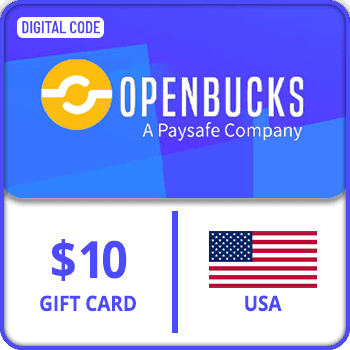

OpenBucks USA $10
Activation
Can be activated in United States
Product Region
United States
Platform
OpenBucks
 United States
Product Summary
Amount x1
$9.82
$1
$2
$5
$10
$13
$15
$20
$21
$25
$26
$30
$50
Product Description
A teenager wants a game add-on, a parent needs a quick birthday gift, and neither wants to hand card details to an unfamiliar website. A prepaid code covers that gap, and the OpenBucks USA $10 card is one of the simplest ways to fund a purchase at checkout without linking a bank account.
On this page you can Buy OpenBucks USA $10 Gift Card 9.82 in USD, and the buy OpenBucks USA $10 Gift Card link opens the full range of US denominations if you need a larger amount.
OpenBucks is a prepaid payment network rather than a single-platform voucher. The code you receive carries a stored value and appears as a payment option at participating United States merchants, which means it is not locked to one app store, one console or one subscription service. You spend it wherever that option is displayed at checkout, and the balance updates after each order.
It differs from a store gift card in one useful way: a retailer's own card usually works in one place, while this code is built for the OpenBucks network, which sits as a payment option across several US sites. That flexibility matters when you are not sure yet whether the money will go on a game, a streaming plan or a purchase from an online shop. The trade-off is that it must be used inside the United States, so a friend or family member abroad cannot redeem it for you.
The card fits situations where a credit card is inconvenient. It works well as a gift for someone who plays games online but would rather not share card details, as a way to buy in-game currency at a participating retailer without saving a payment method, and as a simple top-up for an online order when you want to cap the spend at a fixed amount.
Buyers often ask whether a $10 code is worth the trouble. For a single small purchase it usually is: one add-on, one month of a service or one item that falls under the card's value, with no card details stored anywhere afterwards. Leftover balances stay on the code, so a partial spend is not lost as long as the merchant supports split payment.
Every order is fulfilled through instant digital delivery: the code is generated after payment clears and sent to the email address on the order, usually within minutes. There are no hidden fees added at checkout, and redemption is straightforward — the code is typed or pasted into the merchant's payment field rather than registered on a separate portal.
Codes sold on Fleximart are sourced from authorised distributors and checked against the issuing record before they are sent. Each order passes through a verification step where the code and the denomination are matched to your purchase, and any mismatch is flagged before delivery. If a code does not load, the support team reviews the order and works with the distributor to resolve it, usually within one business day.
Stock for this denomination updates regularly, and the $10 amount is the one most buyers start with. Complete your order in minutes and start spending right away.
- A single code works at any participating US merchant that displays OpenBucks as a payment option.
- The card can be given to a friend or family member in the United States without any account setup step.
- Spending is capped at the value you loaded, so the budget for a purchase cannot drift beyond it.
- No credit card or bank account is needed to complete an order with the code.
- It covers games, streaming plans and everyday retail items instead of being tied to one store.
- Redemption means typing or pasting the code into a payment field, with nothing to install or download.
- No expiry date applies to the code at the time it is issued.
- It is issued for the United States, so buyers there can spend it without a region workaround.
Fleximart keeps the boring parts handled: codes arrive quickly, prices are shown in full before payment, and a real support team answers when something looks wrong. Nothing about the ordering process is loud or complicated, which is exactly what people want when they are buying a digital code at short notice and need it to work the first time.
Codes are issued the moment payment clears
An automated system releases your code as soon as the payment is confirmed, so instant delivery is a process rather than a promise. Most buyers see the email before they have closed the confirmation tab.
Checkout runs on an encrypted gateway
Payment details pass through an encrypted page and card data is not stored on the store's servers after the transaction. That keeps a routine digital purchase from leaving a permanent card record behind.
The order summary is the final amount
What the summary shows is what gets charged, with no service charge, handling charge or currency surprise added at the last step. If the total looks different from the listing, do not pay it and contact support first.
Large and small orders are processed the same way
Digital products do not need picking, packing or shipping, so a single code and a batch of codes move through the same queue. Processing does not slow down because you ordered several cards at once.
Pricing is set against live distributor rates
The listed figure is adjusted to reflect current distributor pricing rather than being fixed for months at a time. That approach is how the store keeps the best price on a small denomination that already carries thin margins.
Ordering takes three steps
You pick the card, pay, and receive the code by email — there is no account creation, no verification call and no form filled in twice. Guest checkout is available for anyone who prefers not to register.
Every code is checked before it is sent
Codes are validated against the issuing system, so a code that is already redeemed or inactive does not reach your inbox. The check runs automatically, which is why delivery occasionally takes a minute longer than expected.
Support follows the order through
If a code fails, the order number goes to a human who traces it with the distributor and comes back with a replacement or a resolution. You are not left repeating the same message to an autoresponder.
Sourcing is disclosed, not implied
Codes come from authorised distributors rather than open marketplaces, and records are kept for each batch. That paper trail is what makes a replacement possible when something goes wrong months later.
Terms And Conditions
- This card is issued for the United States only and cannot be redeemed outside that region.
- Delivery is digital only; no physical card is printed or shipped to your address.
- Digital goods are non-refundable once the code has been revealed or emailed, because the value can be copied and used immediately.
- The balance cannot be exchanged for cash, transferred to another card or sold on.
- You need an eligible account or guest checkout at a merchant that accepts OpenBucks as a payment option.
- You are responsible for entering the code exactly as issued; mistyped codes are not replaced automatically.
- No expiry date applies to the code at the time of issue, although individual merchants may set their own rules on unused balances.
- Prices are listed in USD and may change as distributor rates move.
This summary is for informational purposes only and does not constitute legal advice. Buyers should refer to the official OpenBucks terms of service for full terms.
How to Redeem
The card is easy to use, because the code behaves as a payment method at checkout rather than something you register on a separate website.
- Open the checkout page of a participating US online store and add the items you want to pay for.
- Look for the gift card, prepaid card or OpenBucks payment option and select it.
- Enter the code exactly as shown in your order email, including any dashes or capital letters.
- Confirm the amount that has been applied to the order total before you submit the payment.
- Finish the order and keep the confirmation email until the purchase is complete, in case the merchant asks for verification.
- Check the receipt for any remaining balance so the rest of the value is not forgotten.
Account region matching matters: the code must be spent inside a United States storefront, so make sure the merchant site and your account region are set to the US before you apply it.
Frequently Asked Questions about OpenBucks USA $10 United States
These are the questions buyers ask most often before ordering a $10 OpenBucks code for the United States.
You can buy one on Fleximart by adding the card to your cart and paying at checkout; the code is then emailed to you. There is no physical store visit and no waiting for a card to be posted.
Yes, orders placed here go through an encrypted checkout, and every code is verified as active before it is sent. If a card fails to load at a participating store, support reviews the order and replaces or refunds an unused code.
Yes, you can purchase OpenBucks USA $10 with Visa. Choose the card at checkout, enter your billing details, and confirm; the code is issued once the payment is authorised, usually within a minute or two.
No. The code does not carry an expiry date, though the stores that accept it set their own rules on how long a balance can sit unused.
No. The card is issued for the United States only and will not load at merchants outside that region.
Delivery is immediate for orders that pass verification; the code normally arrives by email within a few minutes of payment.
Yes. Enter the recipient's email at checkout or forward the code yourself once it arrives, and they can spend it at any participating US store. Gift codes are not tied to the buyer's name, so there is no account to set up first.
Contact support with your order number and a screenshot of the error; do not retype the code repeatedly. Each report is checked against the issuing record within 24 hours, and a working replacement is sent when the fault is confirmed.
It depends on the merchant. Many US checkout pages accept one gift card per order, so a $10 card may need to be spent on its own; others allow a split payment where the balance is used first.
There is no account to create. The card is entered as a payment option at checkout, so it works alongside whatever account you already hold with a participating store. Nothing links back to your personal profile.
Anything a participating US online store sells can be paid for with the code, including games, in-game currency, streaming subscriptions and everyday retail items. Availability is set by the merchant, not by the card itself.
Buyers looking for cheap OpenBucks credit in larger amounts can contact support before ordering to ask about bulk options. Rates for multiple codes are reviewed case by case, so ask for a quote rather than assuming a fixed percentage.
Stop after the first failed attempt and check the characters against your email, especially 0 and O or 1 and I. If the code still fails, send the order number to support and they will confirm the exact string that was issued.
Acceptance is decided by each merchant. Large US online retailers and game stores that display OpenBucks at checkout will accept the code; if the payment option is not shown, the store does not take it.
Most checkout pages show the remaining balance after the code is applied, and the merchant receipt lists what is left. There is no separate balance portal to log into, so keep the order email safe.
Reviews
Overall item rating
0 reviews
0 out of 0 (100%) reviewers recommend this item
Rating
Select a row to filter reviews
Click on a rating bar to filter reviews by that rating