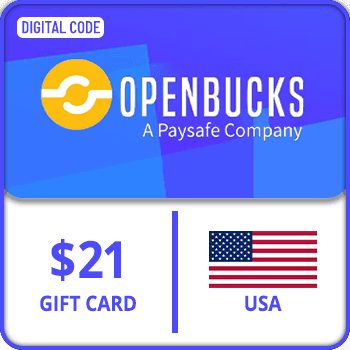

OpenBucks USA $21
Activation
Can be activated in United States
Product Region
United States
Platform
OpenBucks
 United States
Product Summary
Amount x1
$20.64
$1
$2
$5
$10
$13
$15
$20
$21
$25
$26
$30
$50
Product Description
A birthday card from a relative used to mean a trip to the shops and a plastic voucher tucked inside. These days the OpenBucks USA $21 code does the same job from an email, and it redeems faster than a paper card can be found in a wallet. Anyone in the United States who wants to fund a game account, top up in-game currency, or keep a digital subscription running can use one, whether or not they own a credit card. Here is what the code is, where it is accepted, and how to get one that works on the first attempt.
If you have been weighing up where to source credit, the sensible route is a buy OpenBucks USA $21 Gift Card page that shows the full amount before you commit. Codes bought through that listing cost, arrive by email, and carry the full value at the merchant, so there is no shortfall to cover at checkout.
OpenBucks is a prepaid payment network rather than a single shop. A code carries a fixed USD balance that participating online game publishers and digital services accept as a payment method in the United States, so you pay at checkout the way you would with a card, minus the card. Enter the code where the merchant lists OpenBucks, and the balance is applied to that order. Any remaining value stays on the code for a later purchase, which suits small repeat top-ups better than a one-off voucher.
Three situations come up again and again. A parent wants to fund a child's game account without handing over a debit card, so they send the code by email and keep the card details to themselves. A player has birthday money in hand and needs in-game currency before a limited-time event closes, and waiting three days for a posted card would miss it. Then there is the gamer who froze a bank card after a fraud scare and needs a subscription to keep running while the replacement is in the mail.
Ordering is the quick part. Codes go out through instant digital delivery, so the redemption code reaches your inbox once payment clears, with no courier, no postage, and no dispatch window to plan around. The process stays straightforward for first-time buyers, and the checkout page shows the amount you actually pay, with no hidden fees added at the final step.
Codes sold on Fleximart are sourced from authorised distributors rather than resold lists, and each order is checked before the email leaves the system so the balance matches what the listing promised. If a code is rejected at the merchant, the order is reviewed against the delivery log and the redemption history, and a replacement is issued or the charge is returned. Support replies within one business day, and you deal with a named agent who can open your order rather than a generic inbox.
Stock for this denomination updates regularly, and it tends to clear fastest around game launch weekends. Complete your order in minutes and start spending right away.
- The code works with participating US game publishers and digital services that list OpenBucks as a payment option at checkout.
- Instant delivery means the code reaches your inbox as soon as payment clears, so nothing sits waiting in a queue.
- You can gift the code by forwarding the delivery email, which suits a last-minute birthday better than a posted card.
- Spending is flexible because any unused balance stays on the code for a later order.
- No credit card is required, which helps anyone who prefers not to store card details with a game publisher.
- Redemption happens in a few fields at the merchant checkout, with no software to install and no account to register.
- The full balance is applied to your order in US dollars at the merchant, so the value you buy is the value you spend.
- One code covers small add-ons, in-game currency, or a month of a subscription service.
- US gift card balances are not subject to short expiry windows, so the code can be held until a purchase makes sense.
- The code stays valid across multiple merchants in the network, so leftover value is not locked to one publisher.
Buyers who need a working game code at short notice tend to stay with this store for the same few reasons: the price is stated up front, the code arrives without a chase, and someone answers when something looks wrong. There is no account juggling, no subscription, and no upsell at the final step. It is a plain transaction handled properly, which is all most people want.
Codes are released the moment payment clears
The system sends the code automatically once the transaction is confirmed, so no manual approval sits between you and the merchant checkout. It lands in the inbox tied to your order, usually before you have closed the confirmation tab.
Payments run through an encrypted checkout
Card details are handled by the payment processor on a secured page and are never stored on the store's own servers. A breach somewhere else in the chain therefore cannot expose the card you used here.
The final total matches the listed total
Processing surcharges and service charges are not bolted on at the last step, so the figure on the product page is the figure that leaves your account. Where a currency conversion applies, it is displayed before you confirm.
Digital orders skip the review queue
Because nothing ships, there is no picking, packing, or courier handover to wait on. Orders are processed by system rather than by staff shift, including weekends and public holidays.
Pricing is checked against other US sellers
Costs are compared against competing code sellers and trimmed wherever the margin allows, which is why the best price here usually sits at or below the market rate. Popular values are restocked often, so buyers are not paying a scarcity premium.
Checkout takes three steps
Choose the value, pay with the method that suits you, then confirm the email address for delivery. There is no account to create and no form to fill in twice.
Every code is verified before dispatch
Each batch is matched against the distributor's records so the serial number is live and the balance is intact. A code that fails that check is pulled before it is ever listed.
Support can see your order, not just your message
Replies come from agents who can open the order, check the code status, and act on it. If the balance is wrong or the merchant rejects the code, the fix is agreed in the same thread.
Sourcing is documented, not vague
Codes come from authorised distributors in the United States and are logged on arrival with their batch reference. If you ask where a code originated, that trace can be produced.
Terms And Conditions
- This code is issued for the United States only and is accepted by participating merchants operating under US OpenBucks terms.
- Delivery is digital only. No physical card is printed, packaged, or shipped to a postal address.
- Because the value is delivered instantly by email, refunds are not available once the code has been revealed in your order confirmation.
- The balance cannot be exchanged for cash, transferred to a bank account, or converted into another currency.
- Your merchant account and store region must both be set to the United States for the code to be accepted at checkout.
- Buyers are responsible for entering the code correctly. Characters mistyped at the merchant are not grounds for replacement once a code has been redeemed elsewhere.
- A US gift card balance is not assigned a short expiry date; check the merchant's own terms for any inactivity or dormancy rules.
This summary is for informational purposes only and does not constitute legal advice. Buyers should refer to the official OpenBucks terms of service for full terms.
How to Redeem
Redemption is easy to use even if you have never applied a prepaid code before, and the entire process happens on the merchant's payment screen.
- Sign in to the game or service account you want to fund and make sure the account region is set to the United States.
- Add the item, currency pack, or subscription to your cart and continue to the payment step.
- Select the gift card or prepaid code option and look for OpenBucks in the list of payment methods.
- Type the code exactly as it appears in your delivery email, including any dashes, then submit it.
- Confirm that the full balance appears against the order before you finish checkout.
- Keep the order email until the balance reaches zero, since a partial spend leaves value on the same code.
- If OpenBucks is not listed on the payment screen, check the store region first, then review the product category for current stock details: https://fleximart.ae/product-category/openbucks/united-states
Note: the account region must match the card region. A US code will not redeem on an account registered in another country, even if the merchant is the same publisher.
Frequently Asked Questions about OpenBucks USA $21 United States
Short answers to the questions buyers ask most before ordering a US OpenBucks code, covering delivery, redemption, and what happens when something goes wrong.
You can order one here without visiting a physical store: pick the value, pay the shown at checkout, and the code is emailed after payment. Fleximart delivers by email, usually within a minute or two, and the order confirmation keeps a record of the code.
Every code on this platform comes from an authorised distributor and is checked before it is sent, so the balance is live when it reaches you. Payments are processed on an encrypted page, and if a code fails, orders placed here are reviewed and replaced or refunded.
Yes, you can purchase OpenBucks USA $21 with Visa. Choose the card at checkout, confirm the billing details, and the code is released once the payment authorises. No account registration is needed, and the platform emails the receipt immediately.
US gift card balances are not subject to short expiry windows, so the value stays available until you spend it. Check the merchant's own terms if the code sits unused for a long stretch.
No. This code is issued for the United States and is accepted only by merchants operating under US OpenBucks terms. A US account and US store region are required.
Delivery is automated, so the code normally arrives in your inbox within a few minutes of payment clearing. Busy periods can add a short delay before the email is sent.
Yes. Forward the delivery email or copy the code into a message, and the recipient redeems it on their own account. The balance stays intact until it is used, which makes it workable for a birthday that arrives before the recipient has time to shop.
Report it through support with your order number and a screenshot of the error message. The code is checked against the delivery log, and a replacement is issued or the payment returned once the fault is confirmed.
Usually yes. Where the merchant allows split payments, enter one code and then the next, and the balances stack against the same order. Leftover value remains on each individual code, so keep the emails until those balances reach zero.
It should, provided the account is registered in the United States and the merchant lists OpenBucks at checkout. Sign in first, then choose the gift card payment option instead of adding a bank card.
Anything a participating merchant sells and allows OpenBucks to pay for, which typically covers in-game currency, game add-ons, and subscription renewals. Available items change by publisher, so check the payment options at the specific store.
Buyers looking for cheap OpenBucks credit in larger amounts can contact support about bulk order options, since multi-code requests are quoted individually. Larger orders are priced per batch, and the total is confirmed before you pay.
Check the characters first, since similar-looking letters and digits are the usual cause. If the merchant locks the field, wait for the timeout and re-enter the code exactly as written, including any dashes. Repeated failures can trigger a temporary hold, so avoid retrying more than twice.
No. A partial spend does not cancel the code, and the remaining balance can be applied to a later order at any merchant that accepts OpenBucks. Keep the original email, since the same code is reused until the balance reaches zero.
No separate OpenBucks account is required for most purchases. You redeem the code at the merchant checkout where OpenBucks appears as a payment option, and the balance is drawn from there at the point of sale.
Reviews
Overall item rating
0 reviews
0 out of 0 (100%) reviewers recommend this item
Rating
Select a row to filter reviews
Click on a rating bar to filter reviews by that rating